
Home / CBT exam software
CBT exam software for NigeriaRun JAMB, WAEC and NECO-style CBT exams, even offline
FideLearn turns any room of computers into a proper CBT centre: a real exam screen, live webcam proctoring, a locked browser and instant results, running over your own Wi-Fi.
- Free for up to 30 students
- Works without internet
- Set up in a day
Everything a CBT centre needs, in one program
Built for Nigerian schools, tutorial centres and CBT centres preparing candidates for UTME, WAEC, NECO and their own exams.
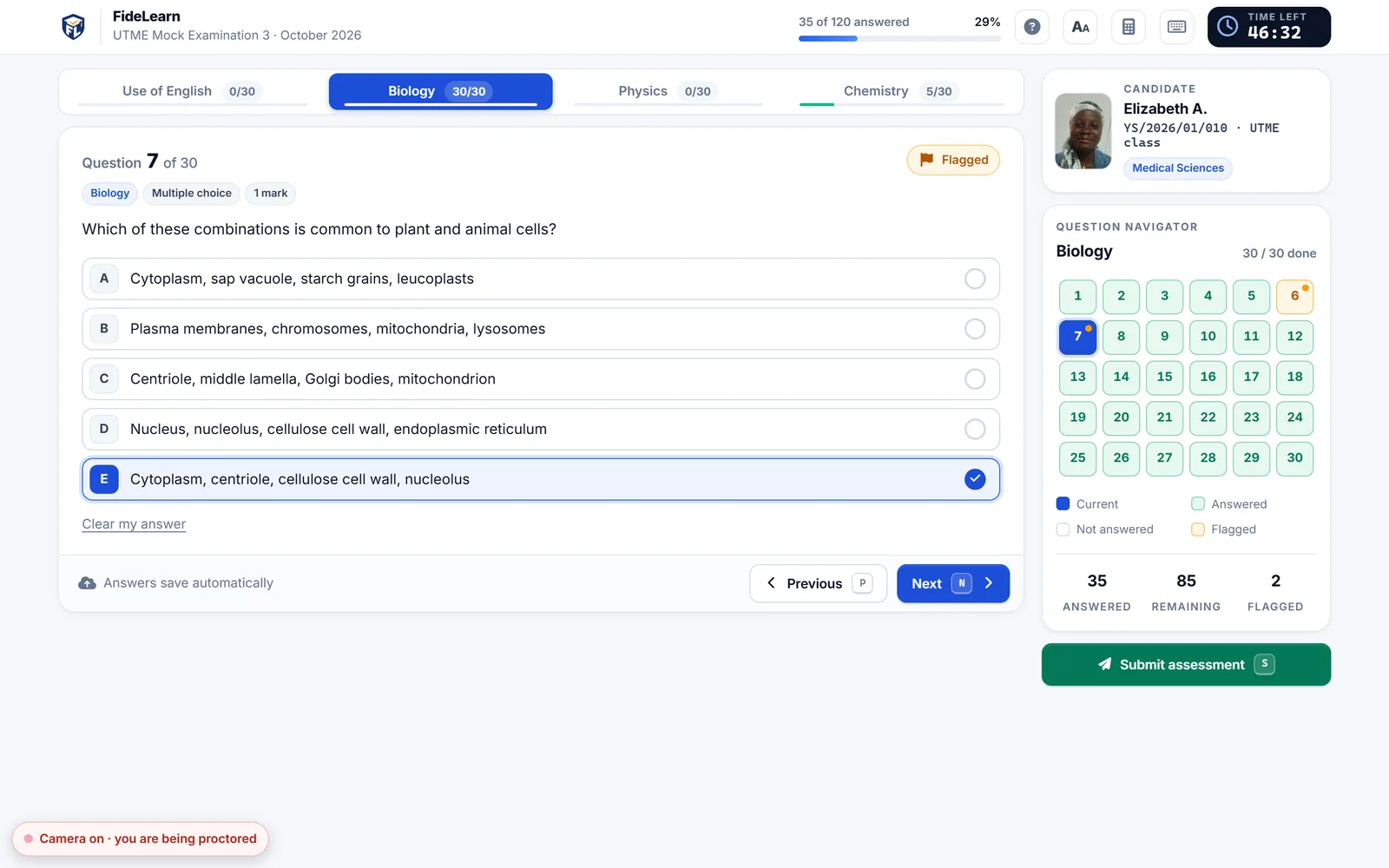
JAMB-style exam screen
Subject tabs, navigator, timer and calculator: the layout candidates meet on the real day.
Works with no internet
The centre computer runs the exam over your Wi-Fi. Power or network blips don't lose answers.
Live webcam proctoring
Watch every camera, get alerts with short clips, and keep the evidence at your centre.
Locked exam browser
FideLearn Browser keeps candidates full screen, away from other apps and websites.
Instant marking and analysis
Rankings in seconds, topic analysis for every class, and results on students' phones.
Batches for big groups
More candidates than computers? Batches share them into time slots automatically.
How a FideLearn CBT exam runs
See every candidate, every minute
Who is writing, how far they are, time left and any integrity alerts. Extend time, message a candidate or force-submit, without leaving your seat.
How to run exam day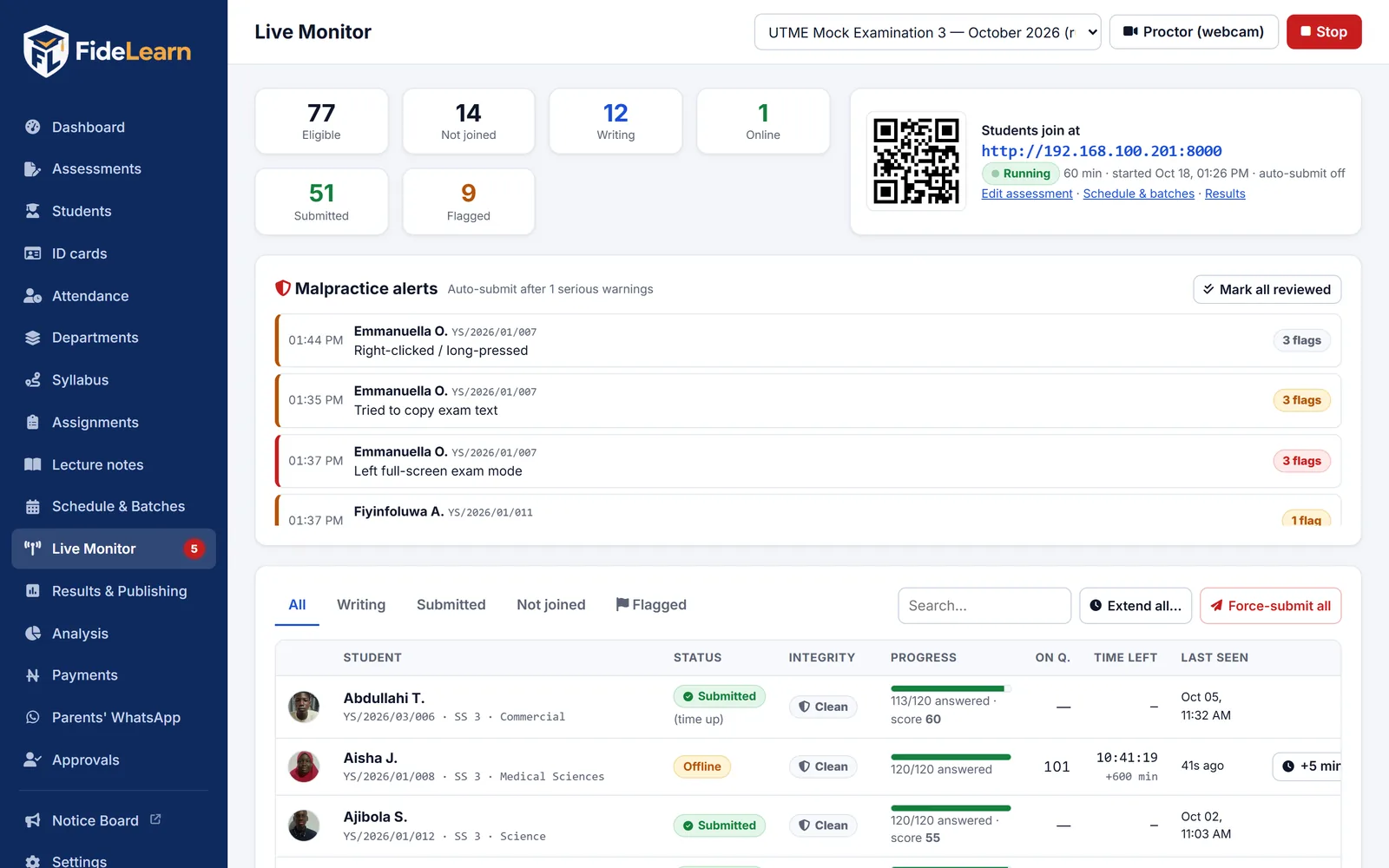
Webcam proctoring that keeps evidence
A live grid of every camera, alerts for no face, two faces or looking away, and a short clip saved with each alert. Video never leaves your centre.
More on proctoring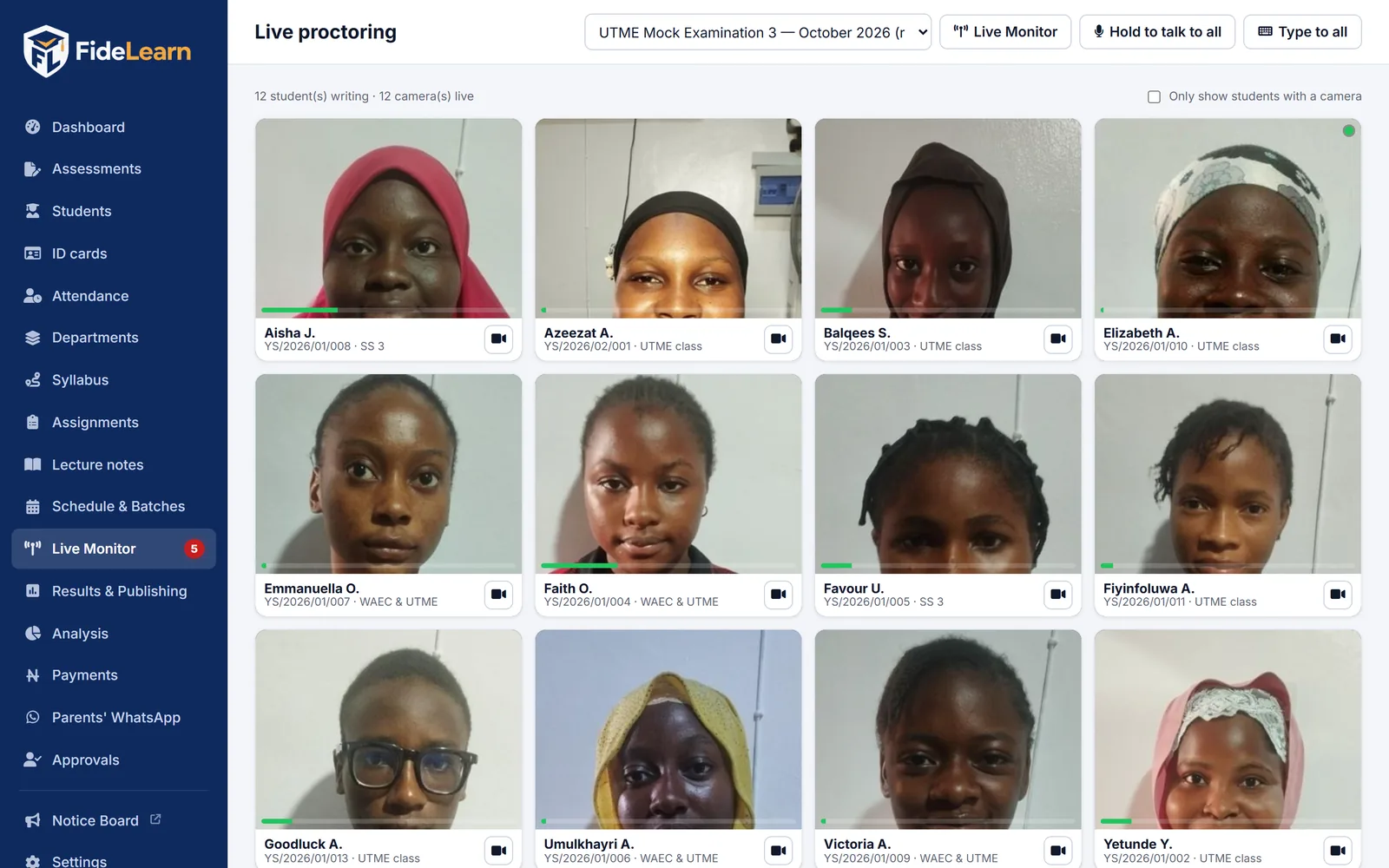
Know what each class must revise
Rankings the moment candidates submit, printable PDFs, and topic analysis that shows exactly which topics need more teaching.
Publish and analyse results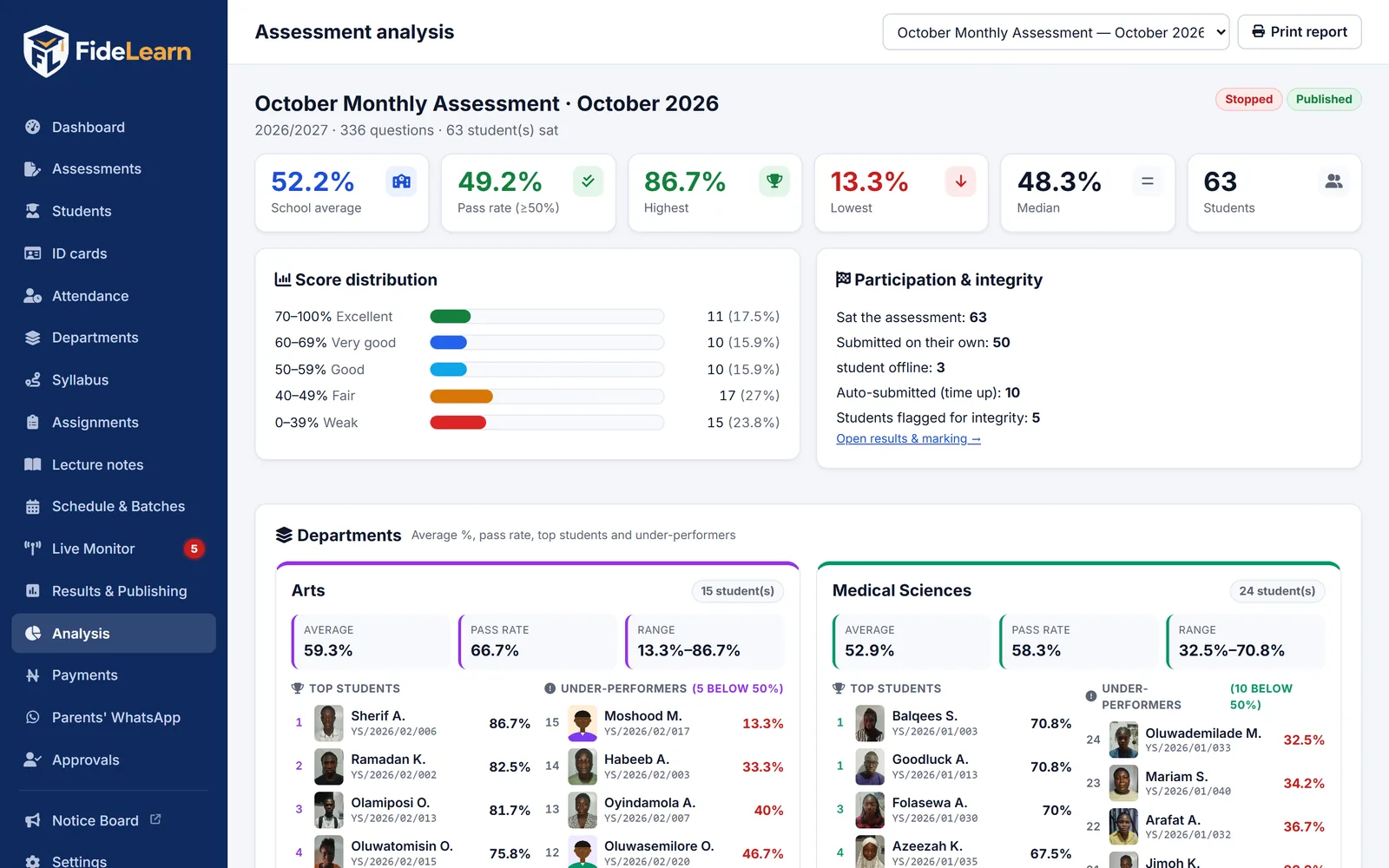
What changes when you move to CBT
| Paper exams | FideLearn CBT | |
|---|---|---|
| Marking | Days of manual marking | Instant, automatic |
| Exam practice | Unlike the real UTME | Same layout as JAMB CBT |
| Malpractice | Hard to see or prove | Shuffling, locked browser, webcam clips |
| Results to parents | Printed and sent home | On every phone, the same day |
| Topic analysis | Rarely done | Automatic, by class and topic |
| Internet needed | No | No: runs on your Wi-Fi |
CBT with FideLearn
Does FideLearn CBT work without internet?
Yes. Exams run on your centre computer over your own Wi-Fi or network. Internet is only used to sync results to your online site, so students and parents can see them from home.
Is it like the real JAMB UTME CBT?
Candidates get the familiar layout: subject tabs, a question navigator, a countdown timer and an on-screen calculator, so the real exam day holds no surprises.
How many candidates can write at once?
A recommended centre computer handles about 50 candidates at the same time. Batches split larger groups into time slots automatically.
Can candidates write on phones?
Yes, on your Wi-Fi. For formal exams, use FideLearn Browser on exam computers: full screen and locked.
How do you stop malpractice?
Shuffled questions and options, FideLearn Browser lockdown, live webcam proctoring with alert clips, and integrity alerts when a candidate leaves the exam window.
How much does it cost?
There is a Free plan for up to 30 students. Paid plans add more students and features; see the pricing page.
Run your first CBT exam this week
Create your school's site free, download FideLearn, and we'll help you set up your first exam.