
Home / Proctoring
ProctoringFair exams, seen live
Live webcam video, evidence clips and a locked exam browser, built to catch real malpractice and never punish students for what Windows did.
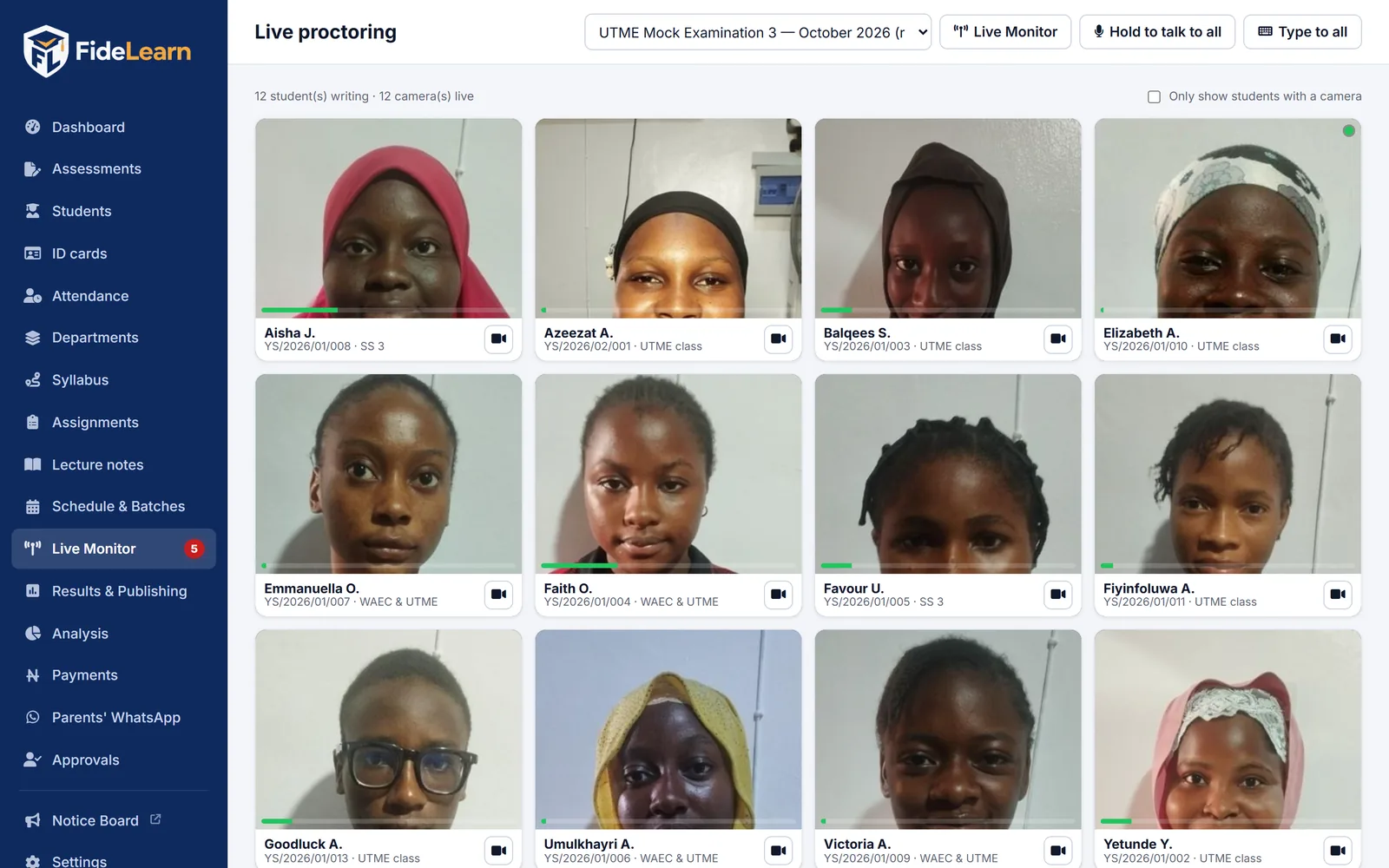
Every candidate at a glance. Anyone in live video.
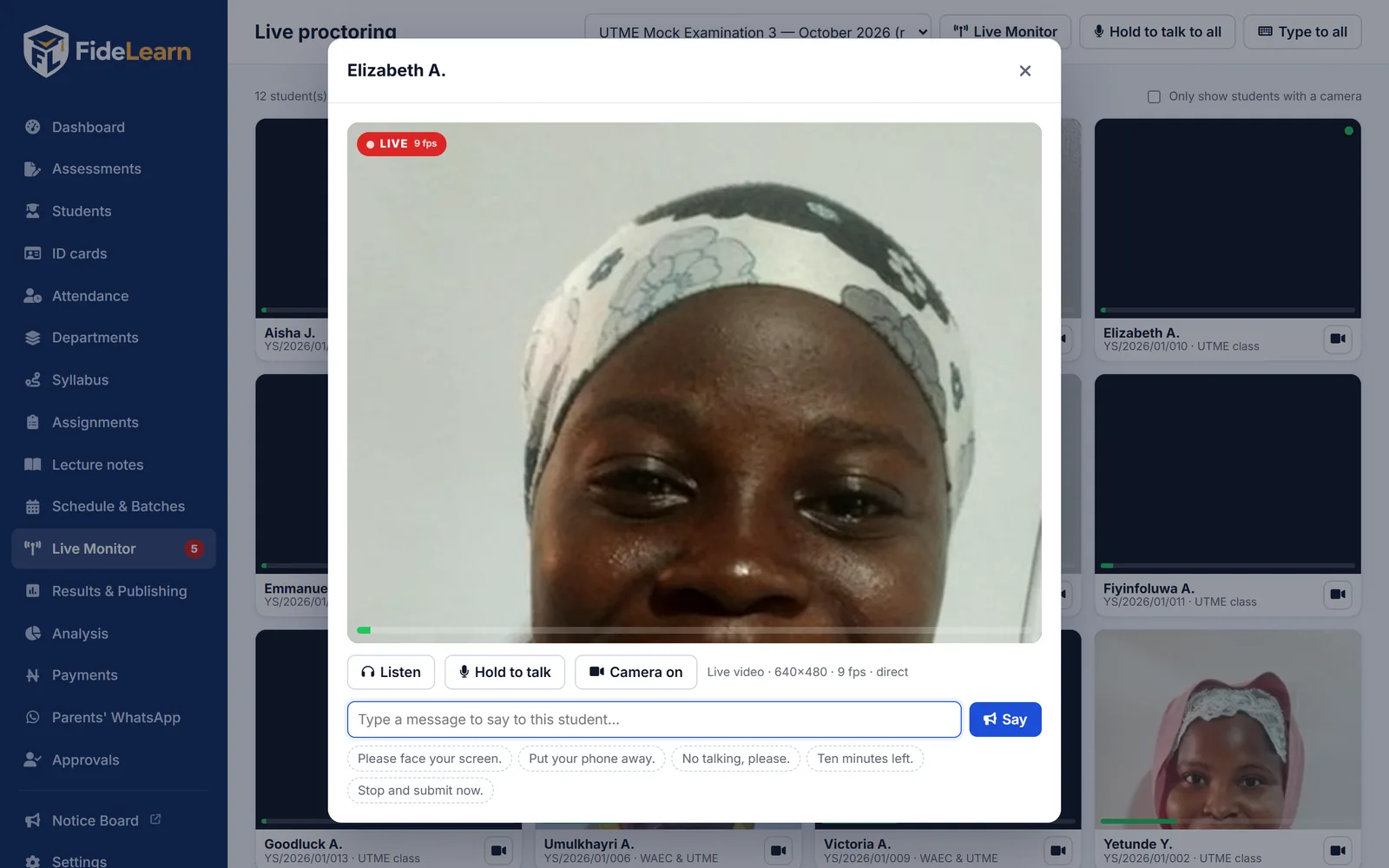
The proctoring grid shows a snapshot of every candidate. Click one and smooth live video with sound starts in seconds.
- Up to 15 frames a second at 640×480, about half a second behind real time
- Connects straight from the candidate's computer, or through your centre computer when firewalls block a direct link, automatically
- Listen in, talk by voice, or send an on-screen message to one student or the whole hall
- Turn any candidate's camera off when needed
A video clip of every suspicious moment
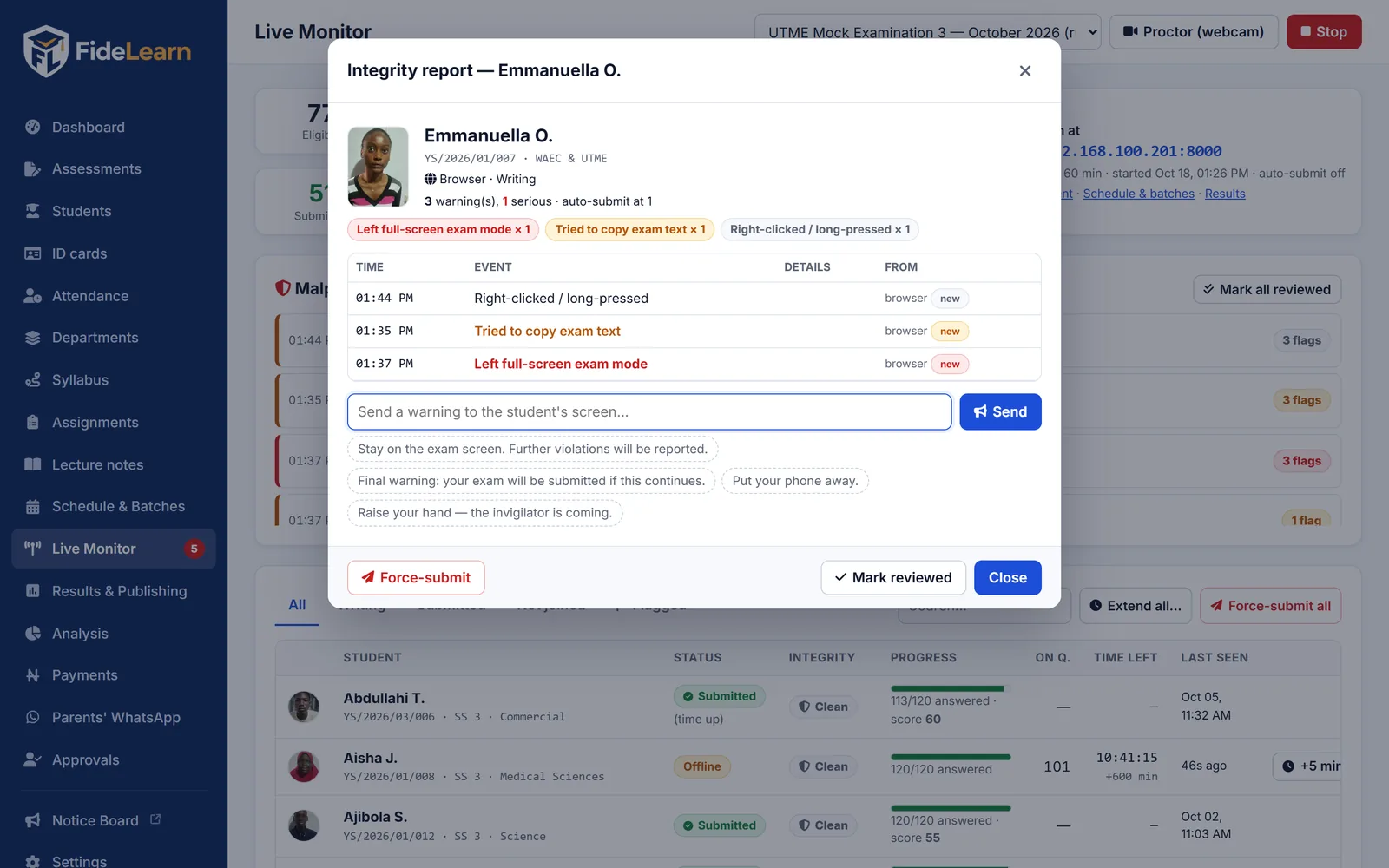
When a medium or serious alert fires, FideLearn keeps the seconds before it and the moment itself. Open the alert and press play.
- Small clips, kept on your centre computer for 60 days
- Shown in each candidate's integrity report, next to the alert
- Recorded only around alerts, never the whole exam
A locked exam browser for your computers
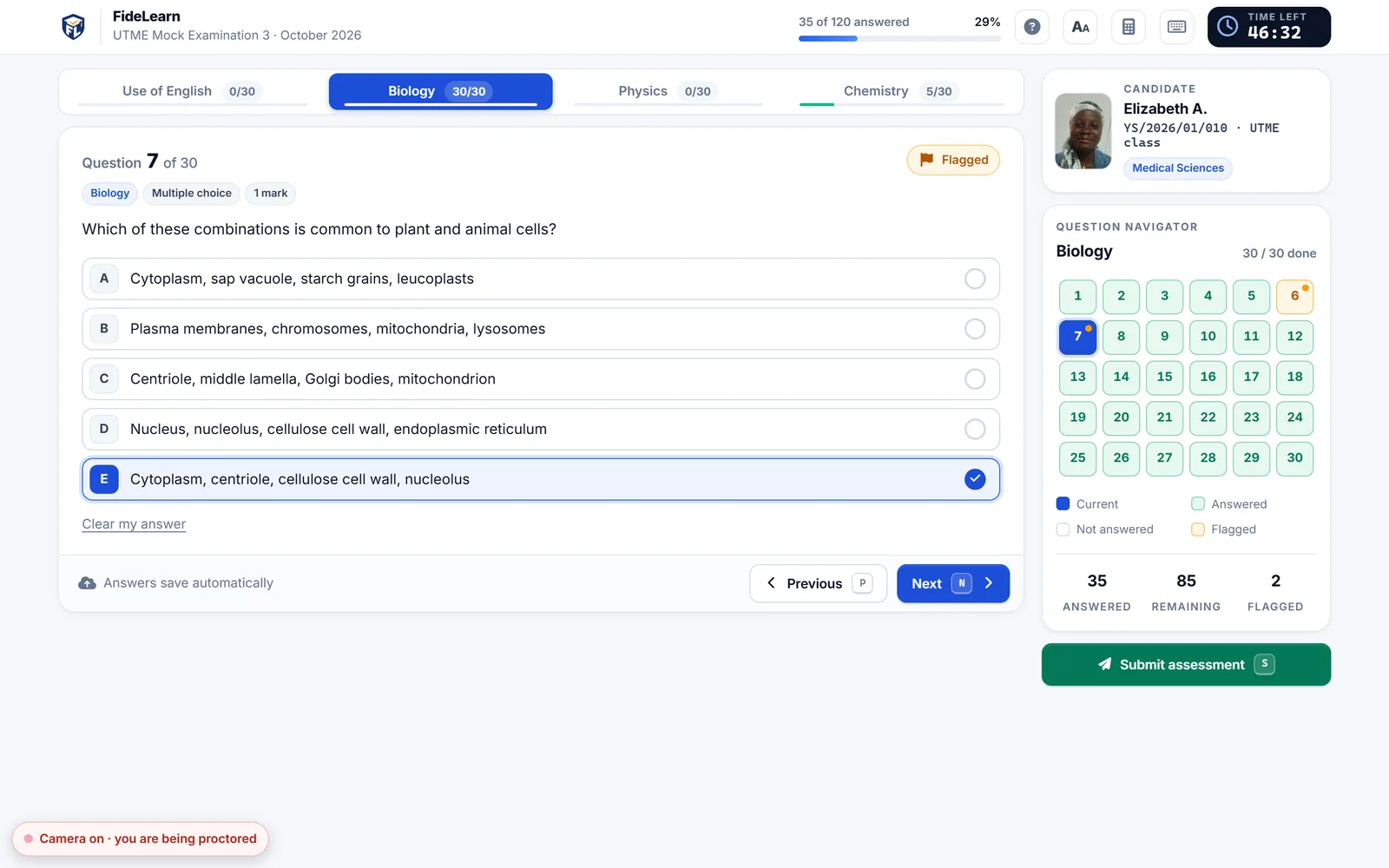
Installed with one setup file. It opens only your centre's exam, full screen, until the candidate logs out.
- Blocks Alt+Tab, the Windows key, Alt+F4, Task Manager shortcuts and PrintScreen
- Other websites, tabs and pop-ups are impossible
- Knows the difference between a Windows notification and a candidate switching away, so there's no false malpractice
- Keeps a copy of the exam on disk if the network drops at the end
Alerts that are fair to students
Every alert has a level. Only serious ones count toward automatic submission, and only if you choose to turn that on.
Leaving the exam
Switching tab or app, leaving full screen, opening a second tab.
Copy & paste
Copying exam text, pasting, printing, or the screenshot key.
Second login
Someone trying to log in as the same student on another device.
Disconnections
Long silences are recorded, and answers are still saved and delivered.
Proctoring that never slows the exam
Capped quality
Video is limited to 640×480 at 15 fps; slower computers drop to a lighter setting automatically.
Limited live views
At most 4 live videos at once by default. Everyone else stays on light snapshots.
Submitting comes first
Video and clips pause the moment a candidate submits, so the answers have the network.
Stays at your centre
Live video and clips never leave your centre. Online snapshots can be switched off too.
No internet needed
Everything works over your centre's own Wi-Fi or network cables.
Falls back gracefully
If live video can't connect, you still get snapshots, and it retries by itself.
See FideLearn with your own school in mind
A free, friendly walk-through of exams, live proctoring, attendance and results — with your questions answered.