
Home / Features
FeaturesEverything your school runs on, in one place
From the first mock exam to the end-of-term result, FideLearn keeps teachers, students and parents on the same page.
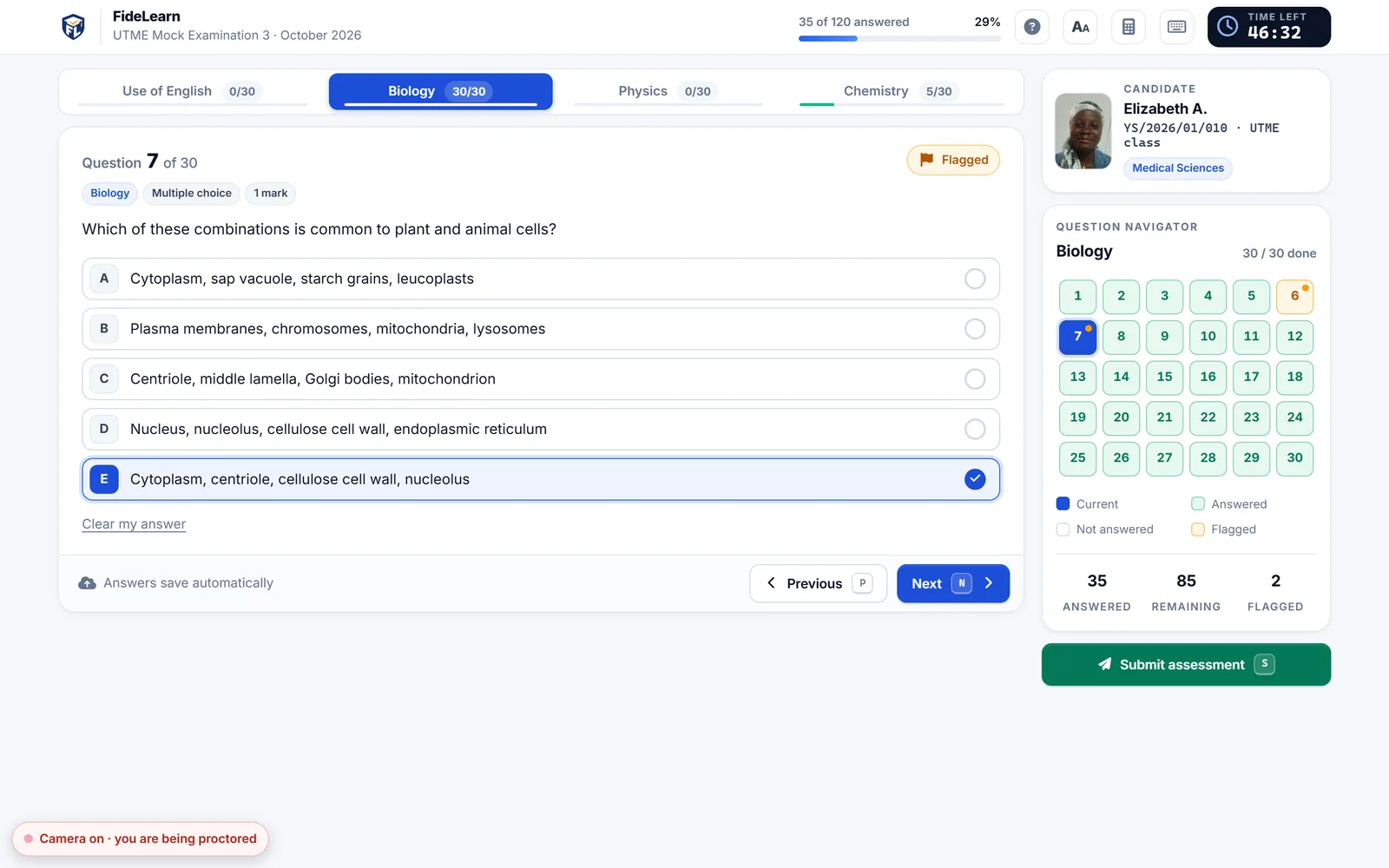
The real UTME feel, before the real UTME
Students walk into JAMB already comfortable, because they have practised on the same kind of screen, timer and navigator.
- Timed sections per subject, a question navigator, flagging and a calculator
- Shuffled questions and options, so neighbours can't copy
- Pictures and reading passages in questions; import banks from Excel or CSV
- Batches and time slots when you have more students than computers
- Answers saved as they go; an exam submitted offline is delivered when the network returns
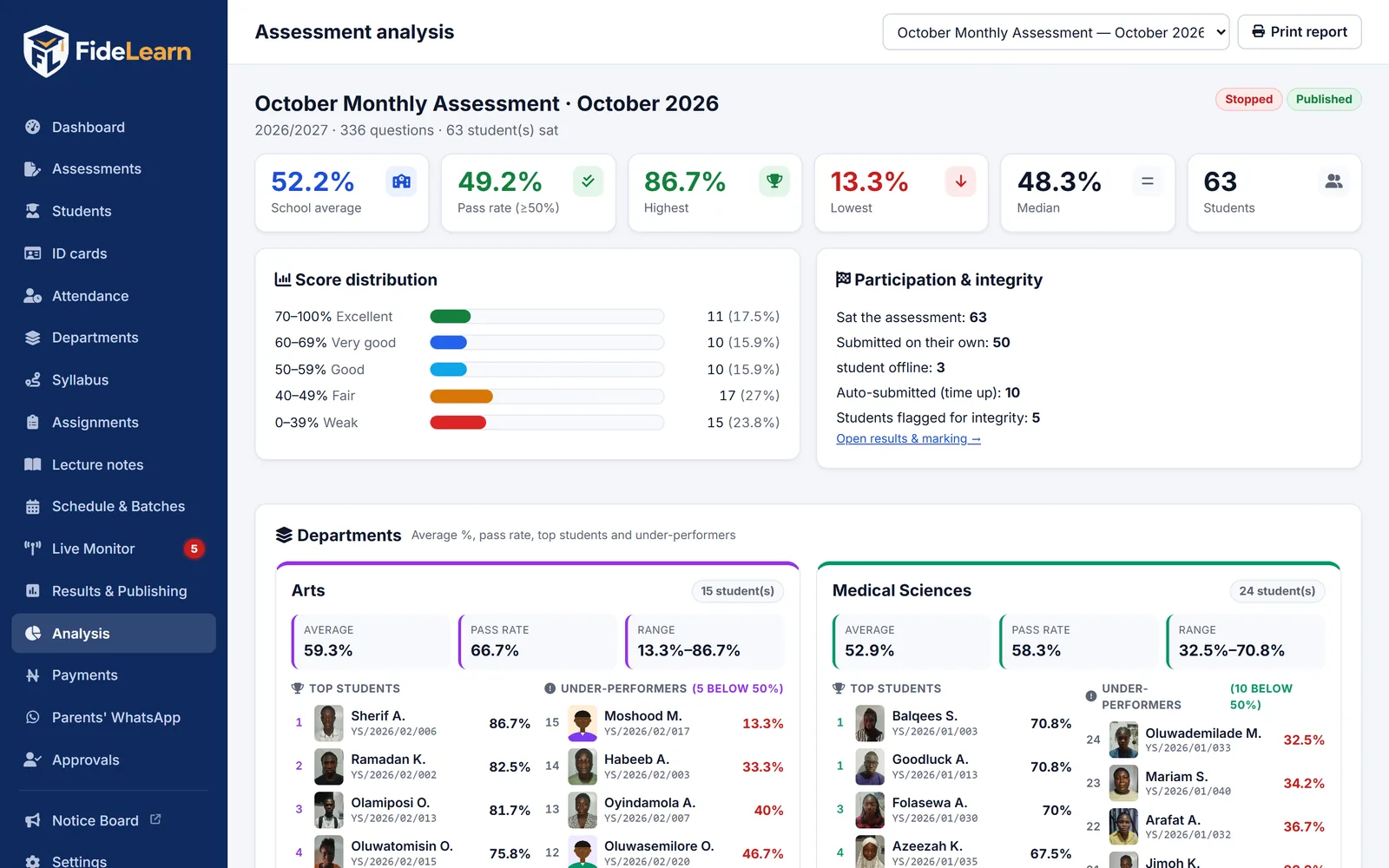
Marked the moment they submit
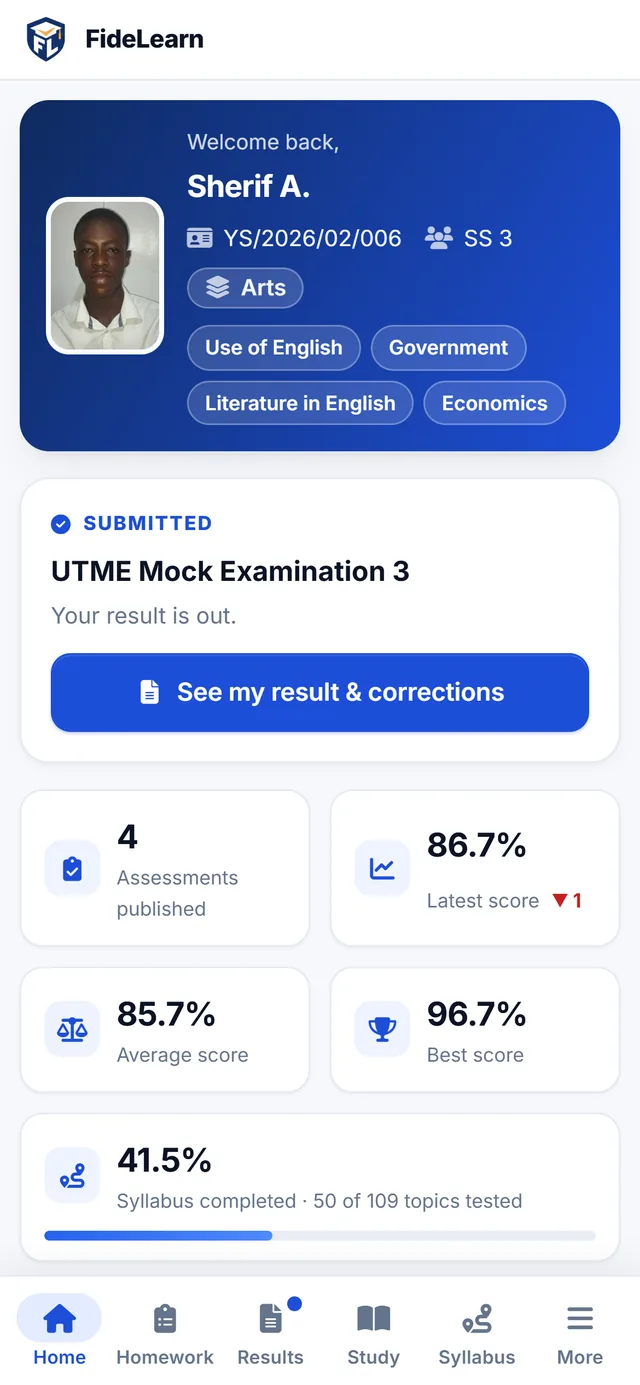
No more marking scripts at night. Scores, ranks and subject breakdowns are ready immediately, and you decide when students see them.
- Publish results to students in one click
- Rankings, subject scores and percentages
- Topic-by-topic analysis: see exactly what each class needs to revise
- Clean PDF reports and a notice board for the results wall
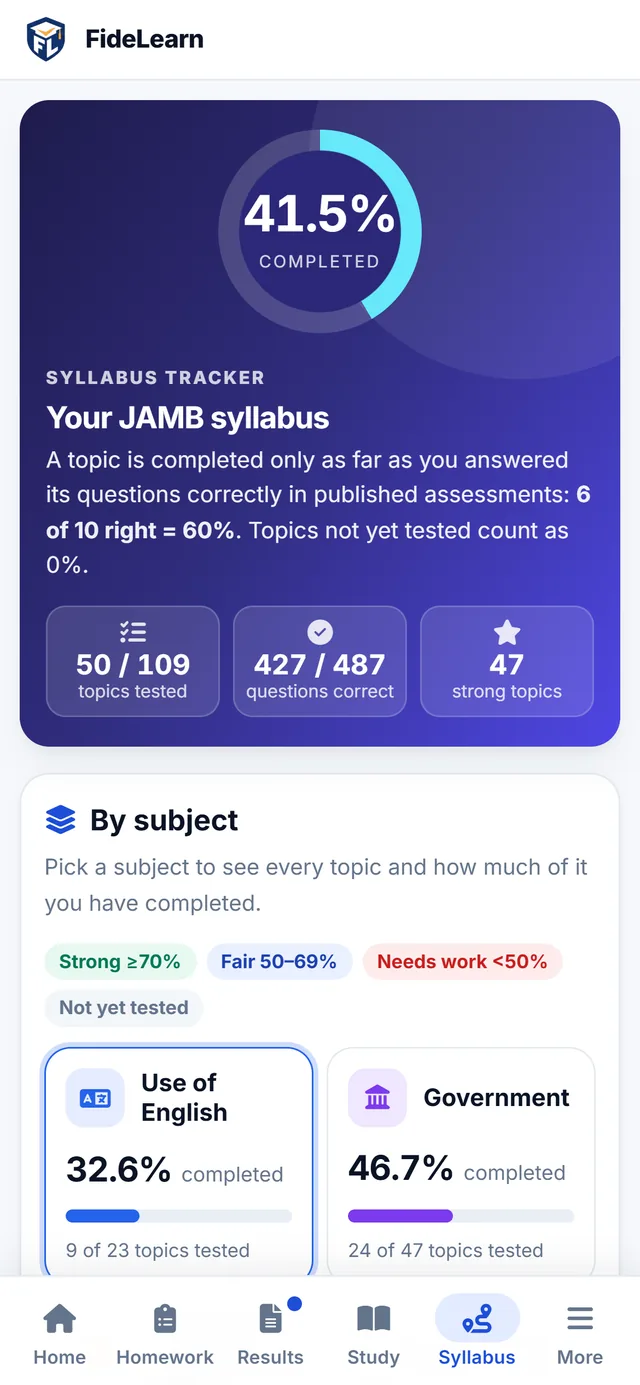
Syllabus, lecture notes and homework
Students always know what to study next, and you can see who is keeping up.
- Syllabus completion counts questions answered correctly, not just attempted
- Lecture notes organised by subject and topic, searchable on any phone
- Timed homework (multiple choice) with a deadline, counted toward syllabus progress
Fees that add up, parents who stay informed
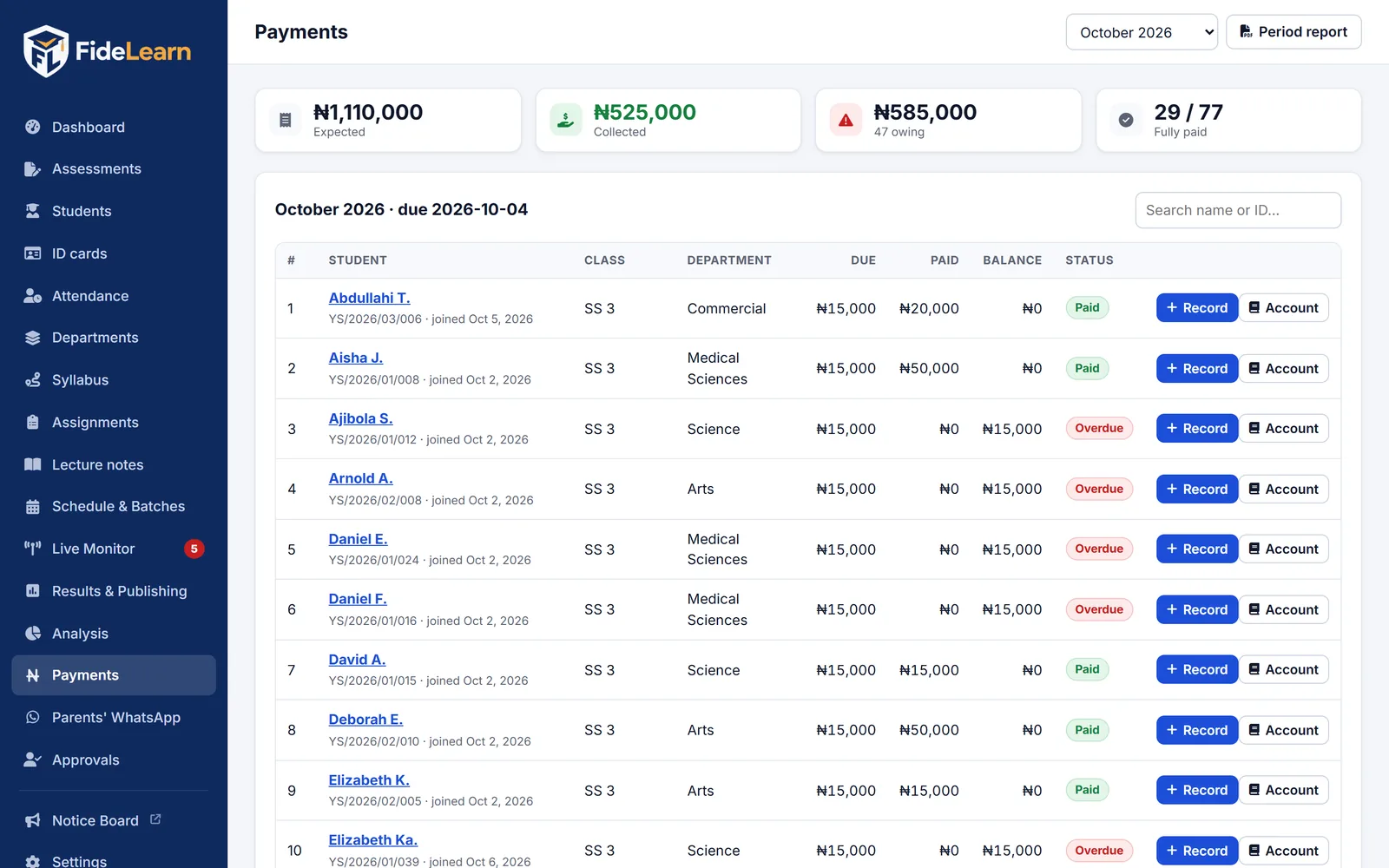
FideLearn counts each student's fees from the exact day they joined, so nobody is over- or under-charged.
- Joined before the 14th pays the full month; after, half the month
- Month-by-month paid / unpaid view for every student
- Payment proof uploads and polite reminders on the student portal
- Invite parents to your WhatsApp group in one click, with a welcome message
No internet? No problem.
Exams run on your centre's own computer and Wi-Fi. When the network or power misbehaves, answers stay safe and are delivered the moment it returns.
Set up your centre
Install FideLearn on one computer. Candidates use FideLearn Browser or any browser on the same Wi-Fi.
Run exams offline
Exams, proctoring and attendance work on your local network: fast, private and free of data bundles.
Sync when online
Results, notes and the parent portal go online by themselves, so families can follow progress from home.
The small things that save hours
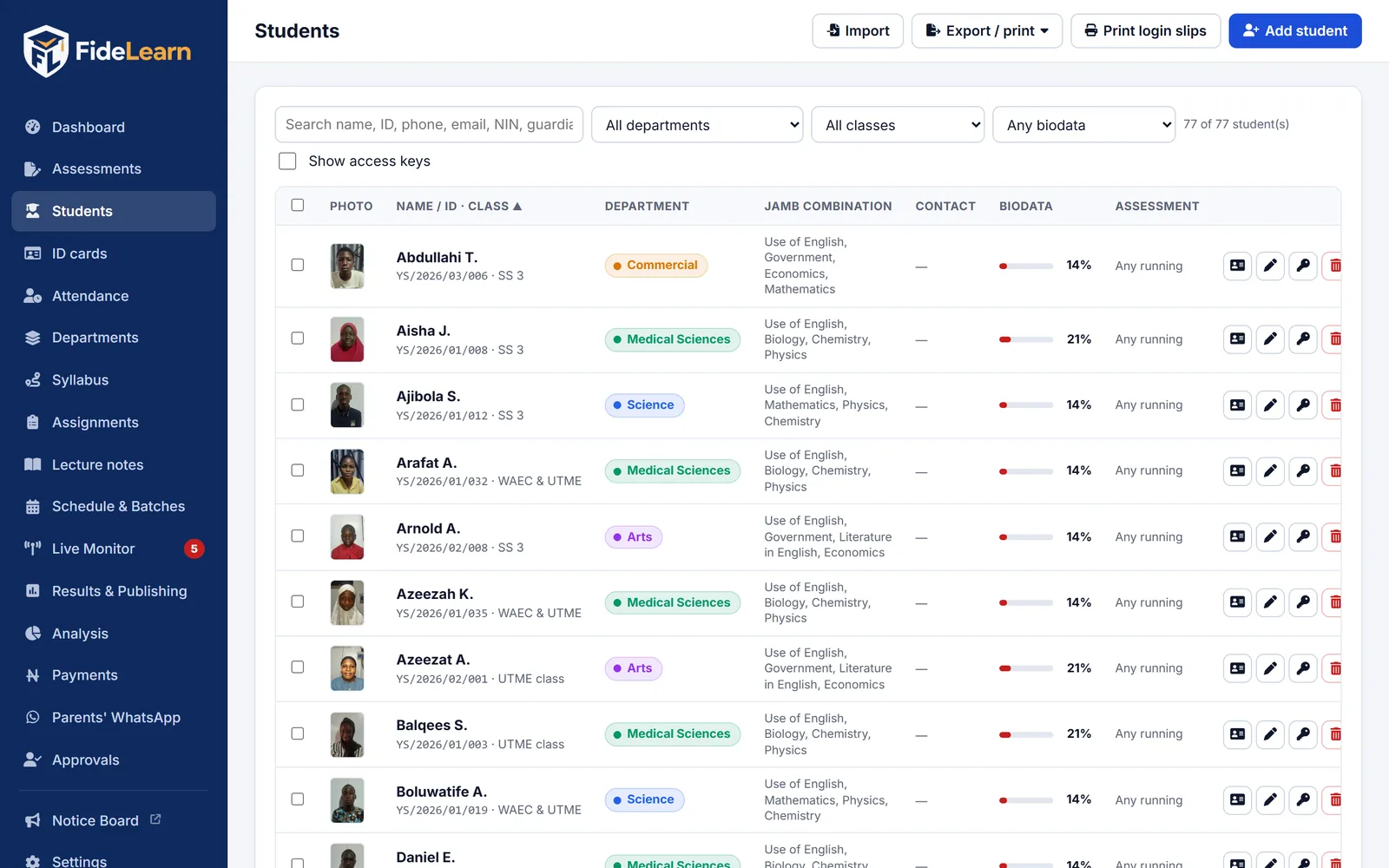
Student registration
Online registration forms, approvals and automatic student IDs.
Biodata
Students update their details; the office approves changes.
Notice board
A results and announcements screen for your hall or reception.
Backups
One-click backups of your whole school, kept on your own computer.
See FideLearn with your own school in mind
A free, friendly walk-through of exams, live proctoring, attendance and results — with your questions answered.